
Convert PDF to Word, Excel and images: a free online tool
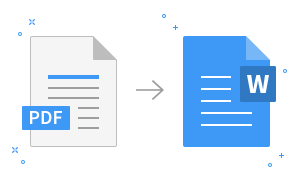
DOCX to edit text, CSV for tables, JPG for sharing — upload a file and get the result right away.
PDF looks the same everywhere but is awkward to edit. To change a contract or work with numbers in a table, you need another format. PDF Tools does it in the browser, nothing to install.
Three conversions
| Action | Output | Use it for |
|---|---|---|
| PDF → Word | DOCX | Editing text: contracts, applications, CVs |
| PDF → Excel | CSV | Working with numbers: reports, price lists |
| PDF → image | JPG | Sharing a page in a messenger or a presentation |
Good to know: text and tables from computer-generated PDFs convert well; scanned PDFs are images, so results are weaker. Open CSV files in Excel via File → Open. Uploaded files are used only for conversion and deleted from the server within an hour; still, avoid uploading highly sensitive documents to any online service.
Source: complexprogrammer.uz
Share:
✈️ Telegram


Hozirça izoh yöq.