
CS2: 10 tips for beginners
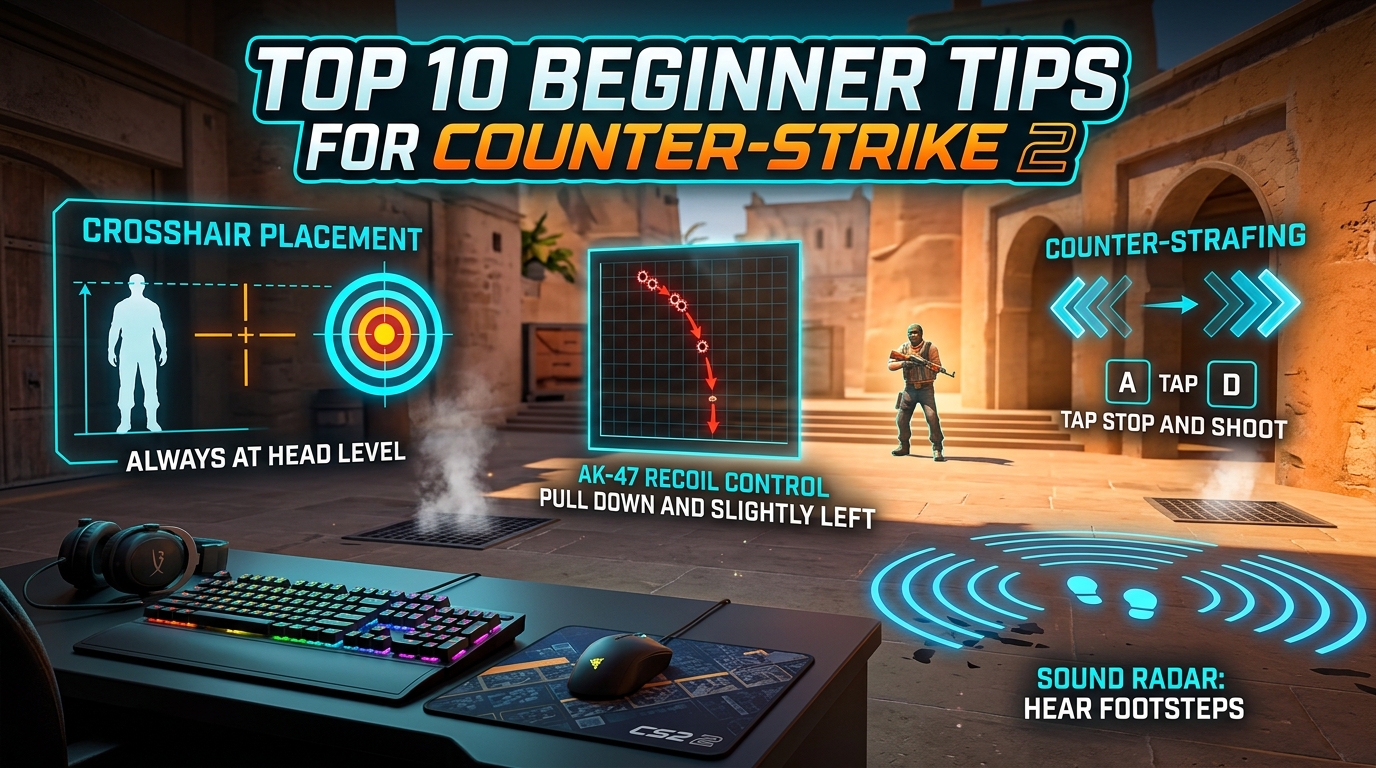
Improve faster in Counter-Strike 2, the successor to CS:GO: settings, movement, aim, grenades and practice.
On 27 September 2023 Valve replaced CS:GO with Counter-Strike 2. The game moved to the Source 2 engine, stayed free and kept your CS:GO inventory. It brought new graphics, the “sub-tick” system and volumetric smokes, but the fundamentals of winning haven't changed. Here are 10 practical tips to improve faster.
1. Set up your settings once, properly
Lower sensitivity means better accuracy: a full 360° turn over roughly 30–45 cm of mouse movement is a good starting point. Tune your crosshair in Settings → Game → Crosshair, where you can also import pro players' crosshair codes. If your PC allows it, keep FPS above your monitor's refresh rate.
2. Play with headphones
Sound is the most important information in CS2: footsteps, reloads, the bomb being planted. Turn off music, wear headphones and learn to hear where enemies come from.
3. Stop before you shoot (counter-strafe)
Bullets spread while you run. If you're moving left (A), tap right (D) just before firing — you stop instantly and the first bullet is accurate.
4. Keep your crosshair at head level
Aim at the corner an enemy might appear from, at head height, not at the floor. Then you barely need to move the mouse when they peek.
5. Use short bursts at range
With the AK-47 and M4, 2–3 shots (taps or bursts) at long range are more accurate than a long spray. Practise the spray for close range in Deathmatch.
6. Learn every grenade
Smokes block vision, flashes blind, HEs deal damage, molotovs/incendiaries deny an area. In CS2 smokes are volumetric: an HE or bullets briefly clear a hole, and a smoke puts out a molotov.
7. Master 1–2 maps first
Knowing Mirage or Dust II inside out beats knowing every map a little: callouts, key positions and 3–4 useful smokes.
8. Buy together with your team
If one player full-buys while the rest have no money, the round is usually lost. More on the economy in CS2 team strategies.
9. Practise 15 minutes a day
Warm up in Deathmatch, train on Workshop aim maps (such as Aim Botz), or learn grenades on your own server with the commands below.
10. Stay calm and play fair
Take a break after a losing streak. Mute toxic players. Cheats get your account permanently VAC-banned.
Commands for a practice server
First enable “Enable Developer Console” in Settings → Game. Then open a map in Practice mode from the Play menu and type in the console (~ key):
| Command | What it does |
|---|---|
sv_cheats 1 | Enables practice commands |
sv_infinite_ammo 1 | Infinite ammo and grenades |
mp_buy_anywhere 1 | Buy anywhere on the map |
mp_roundtime_defuse 60 | 60-minute rounds so you can learn without rushing |
sv_rethrow_last_grenade | Re-throw your last grenade |
bot_kick | Kick bots |
mp_restartgame 1 | Restart the game with the new settings |
How ranking works
Premier gives you a numeric CS Rating, while regular Competitive has a separate rank for each map. It's easiest to learn 2–3 maps in Competitive first and then move to Premier.
If you also play classic CS 1.6: CS 1.6 codes and console commands.


Hozirça izoh yöq.